
Print the tags.Scan the item.Sell it once.
A point-of-sale and inventory tracker for thrift, vintage, preloved and consignment shops, where every piece on the rack is the only one you've got.
 Runs in the browser on the tablet, laptop and phone you already have.

Your shop outgrew the notebook
But a full POS feels like a lot: new hardware, a long setup, a monthly bill. So the business keeps running on a notebook, a spreadsheet and memory.
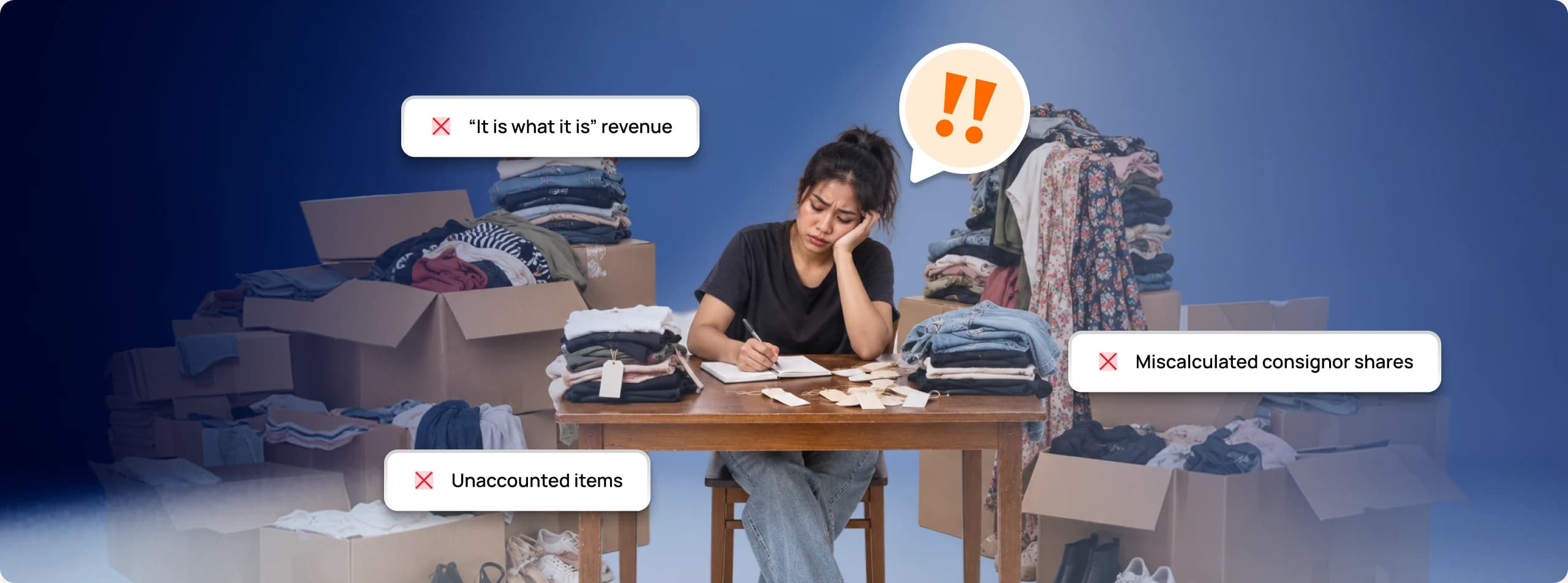
Where did I write that?
Prices in a notebook, sales in a spreadsheet, orders buried in your chats.
End-of-day math
You add up cash and GCash by hand, and the totals never quite match.
Spreadsheets don’t survive a rush
Nobody updates a row mid-sale. By closing time it’s already out of date.
“Real POS” means real hardware
Terminals, scanners, a setup fee. A lot to spend before you’ve sold a thing.


Set up today. Sell by tonight.
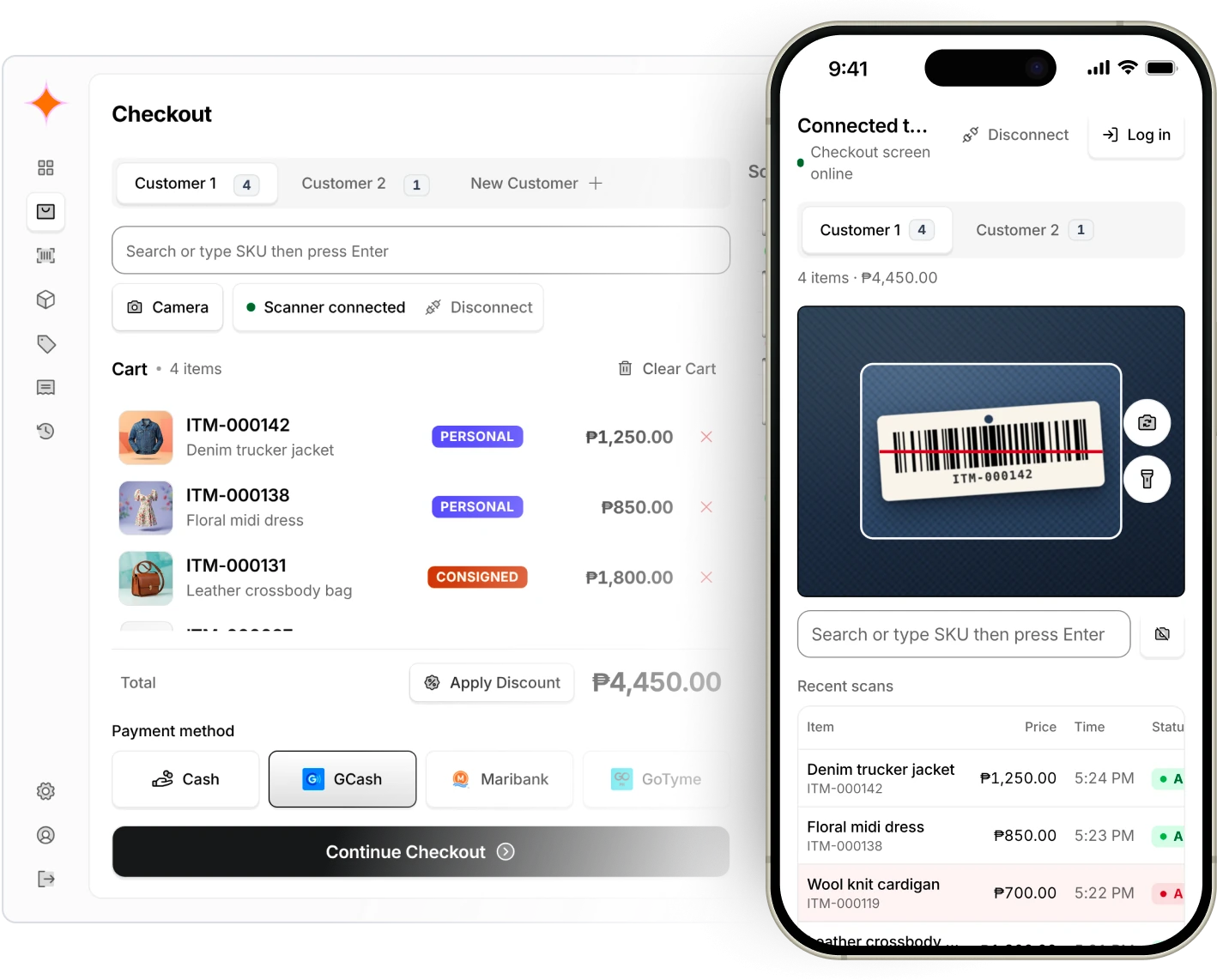
Nothing to install and no hardware to buy. Open it in your browser, print your first tags and you’re ready to sell.
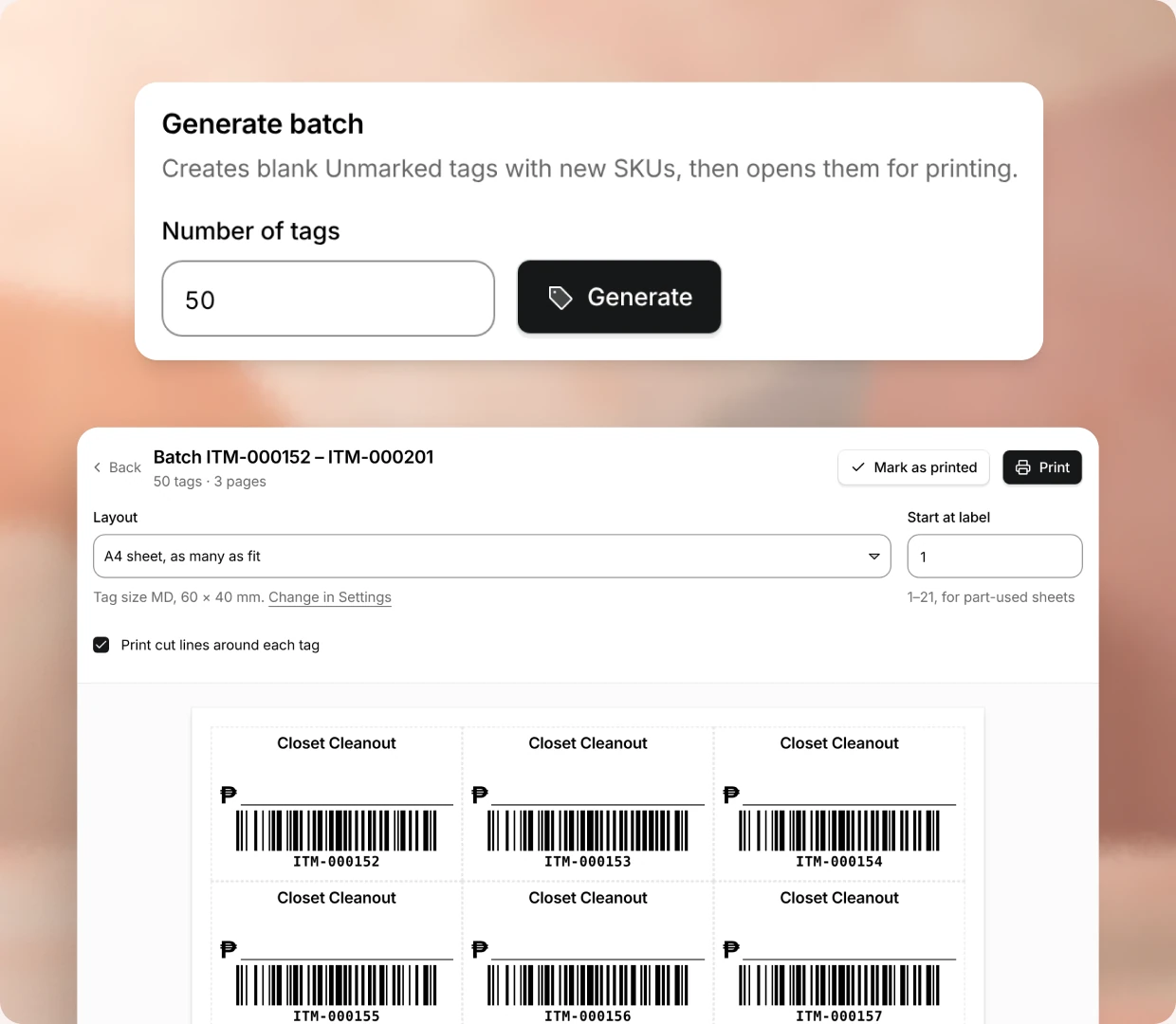
Generate a batch of barcode stickers (a hundred at a time if you like) with your own shop prefix, like
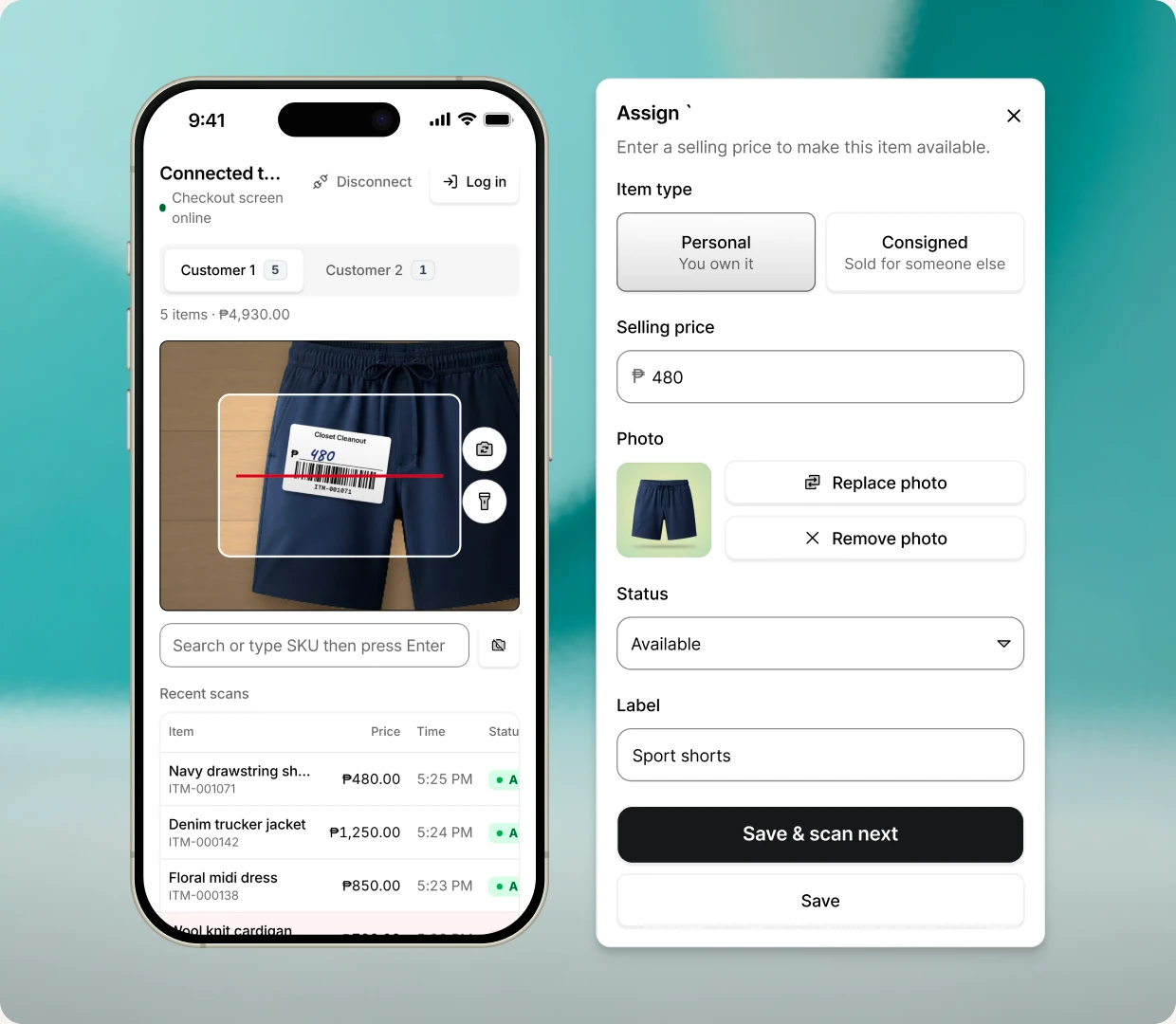
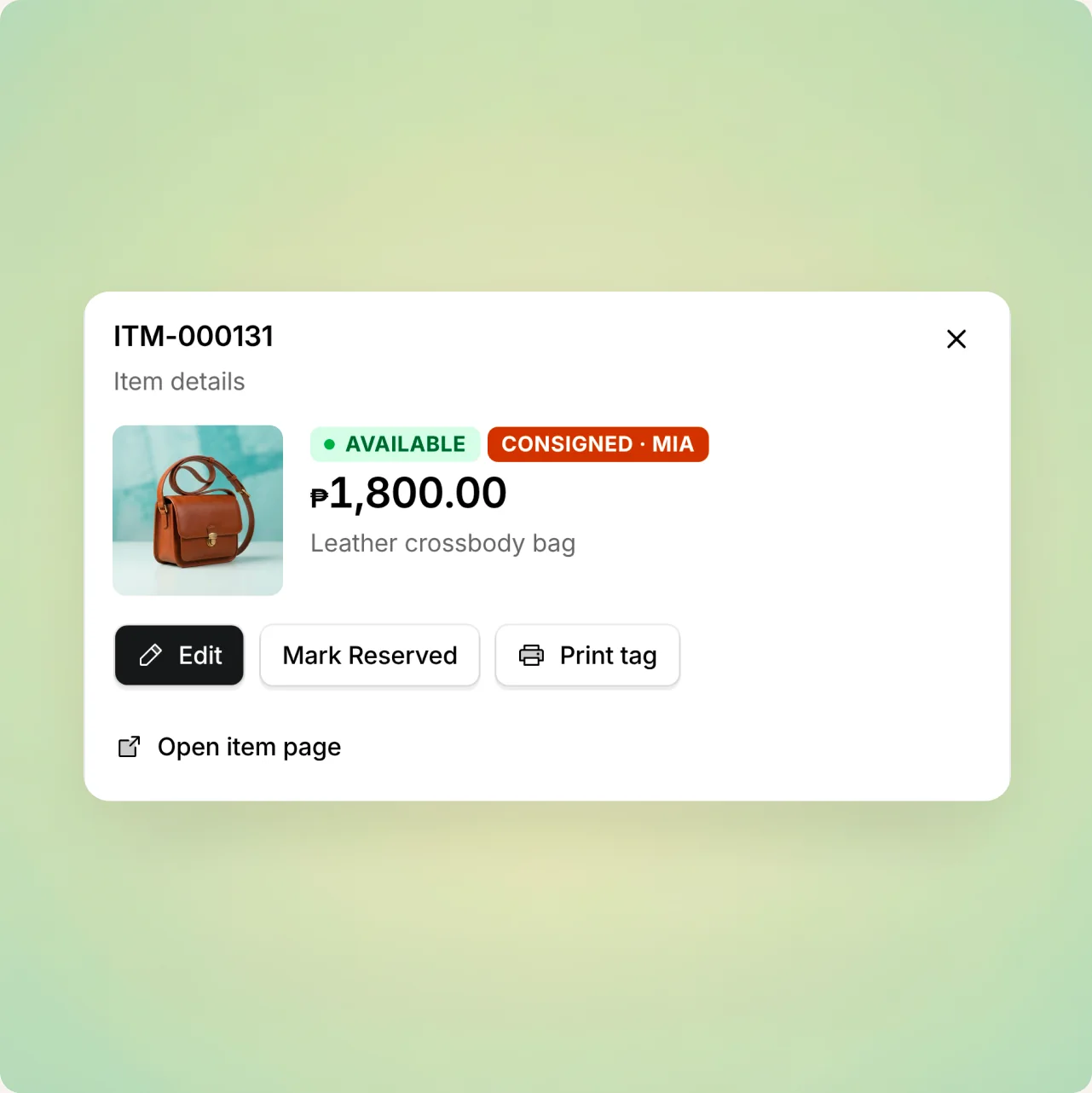
ITM-000001. Print them on sticker paper.Stick one on, scan it, add the price and a photo. That piece is now on sale and in your inventory.
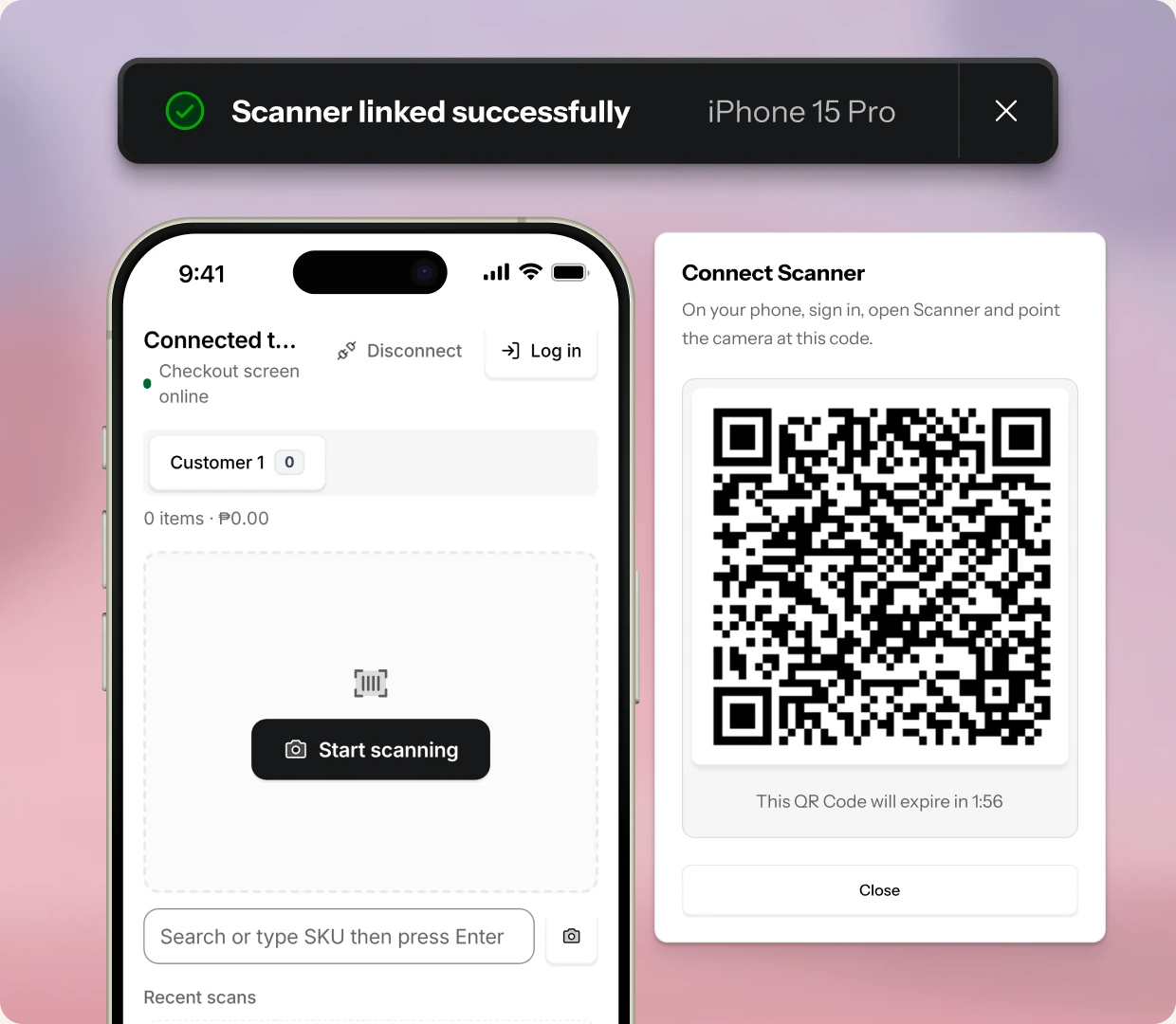
Scan at the counter with a USB scanner, or turn any phone into one. Pair it by QR and every scan lands in the register's cart in about a second.
Cash, GCash, Maribank, GoTyme or your own. Complete the sale and the receipt is ready.
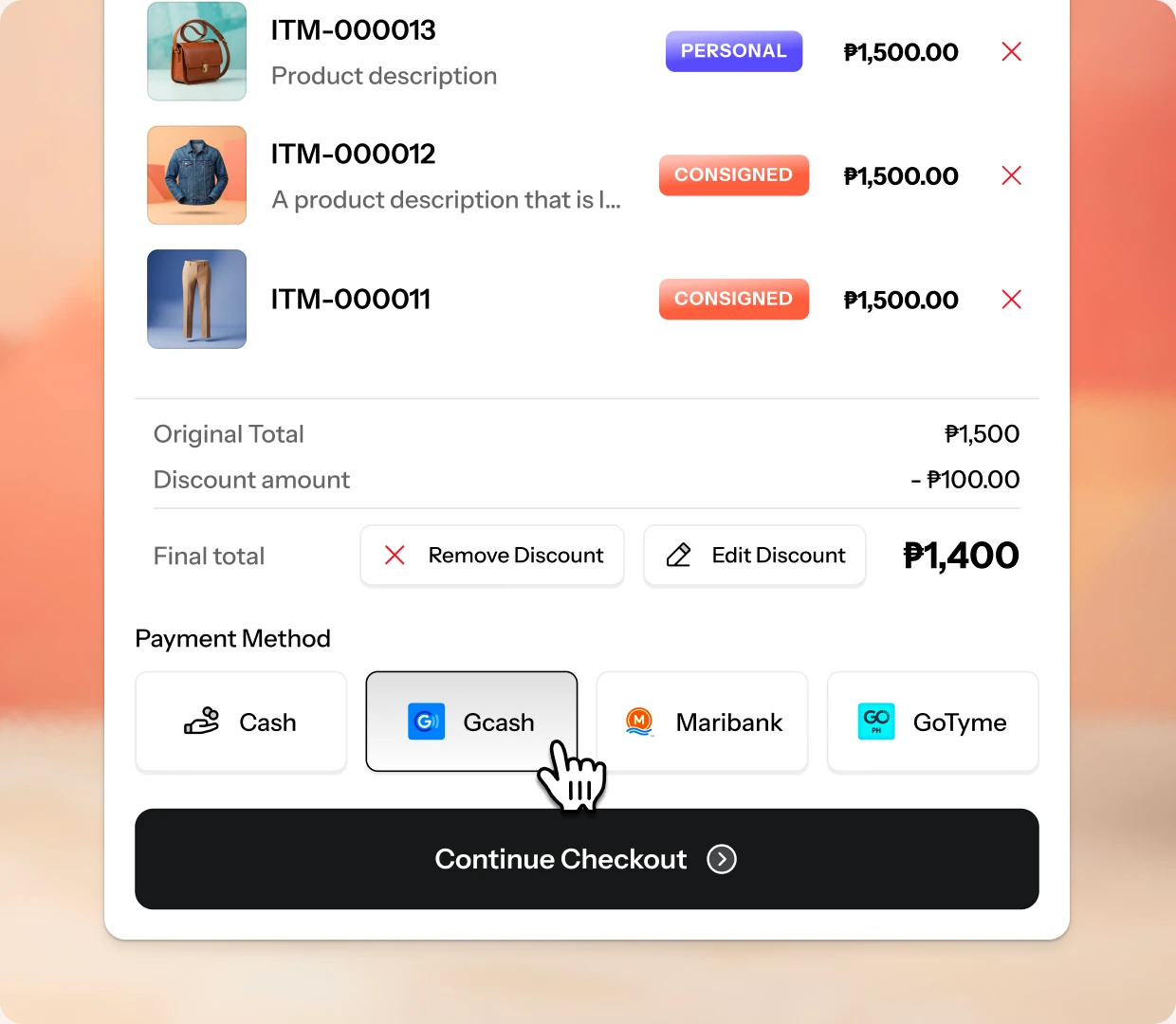
Every piece accounted for, from rack to refund.
Return one item without undoing the whole sale, keep consigned pieces apart from your own, and know exactly what’s left on the rack.
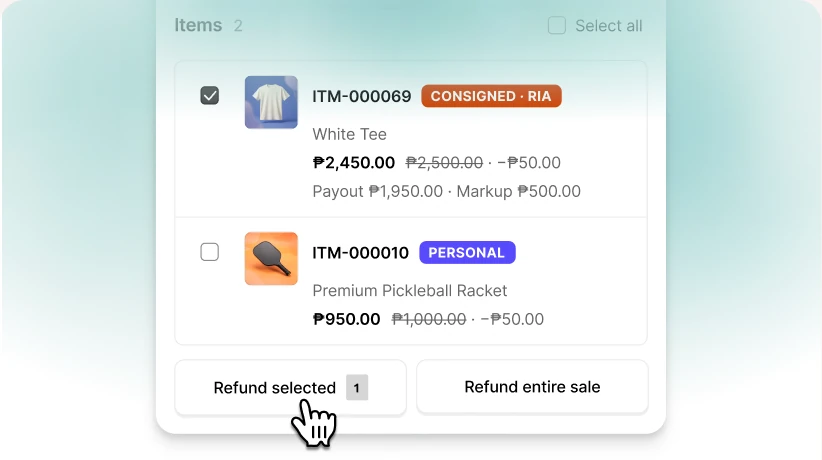
Refund one piece, not the whole sale.
Return one item from a five-item sale. Add a reason. It goes back on the rack.
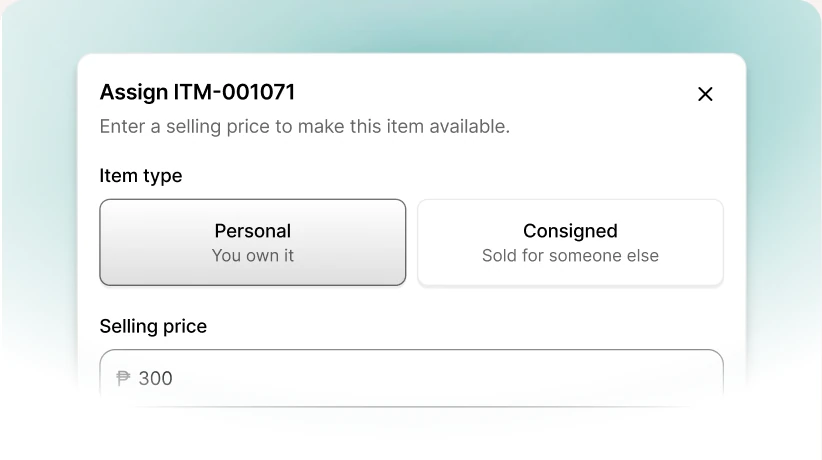
Consignment, handled.
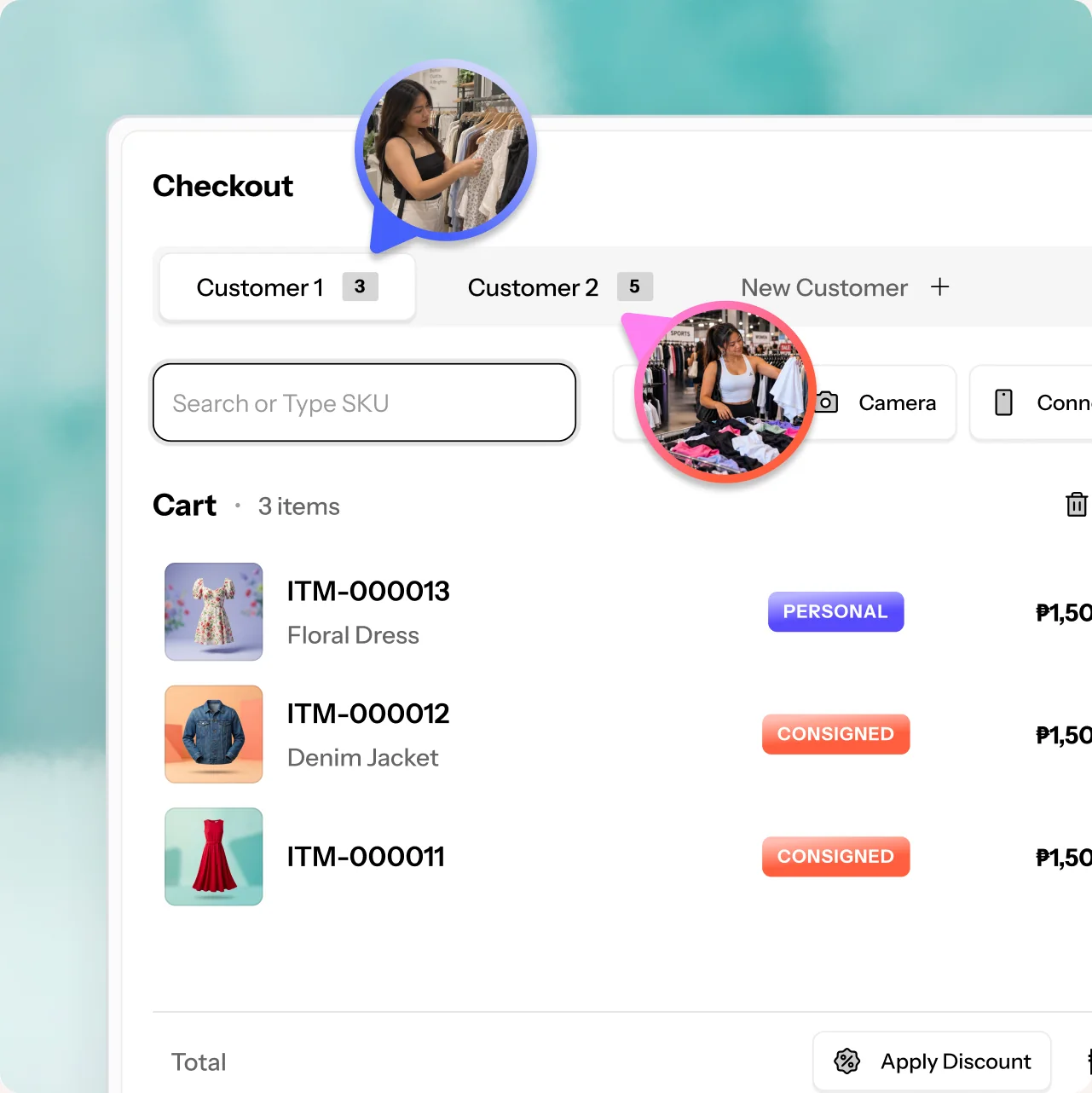
Mark items as yours or consigned, set the consignor and their price, and see what you owe each person.
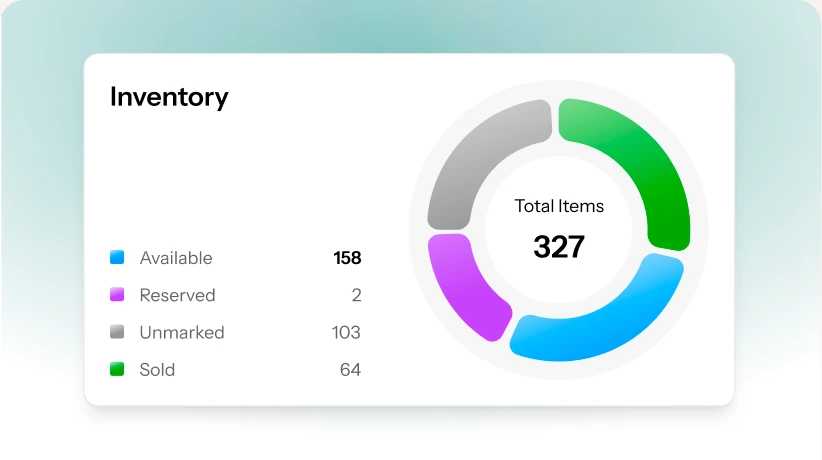
Your whole rack, at a glance.
One chart on your dashboard splits every item by status: unmarked, available, reserved or sold.
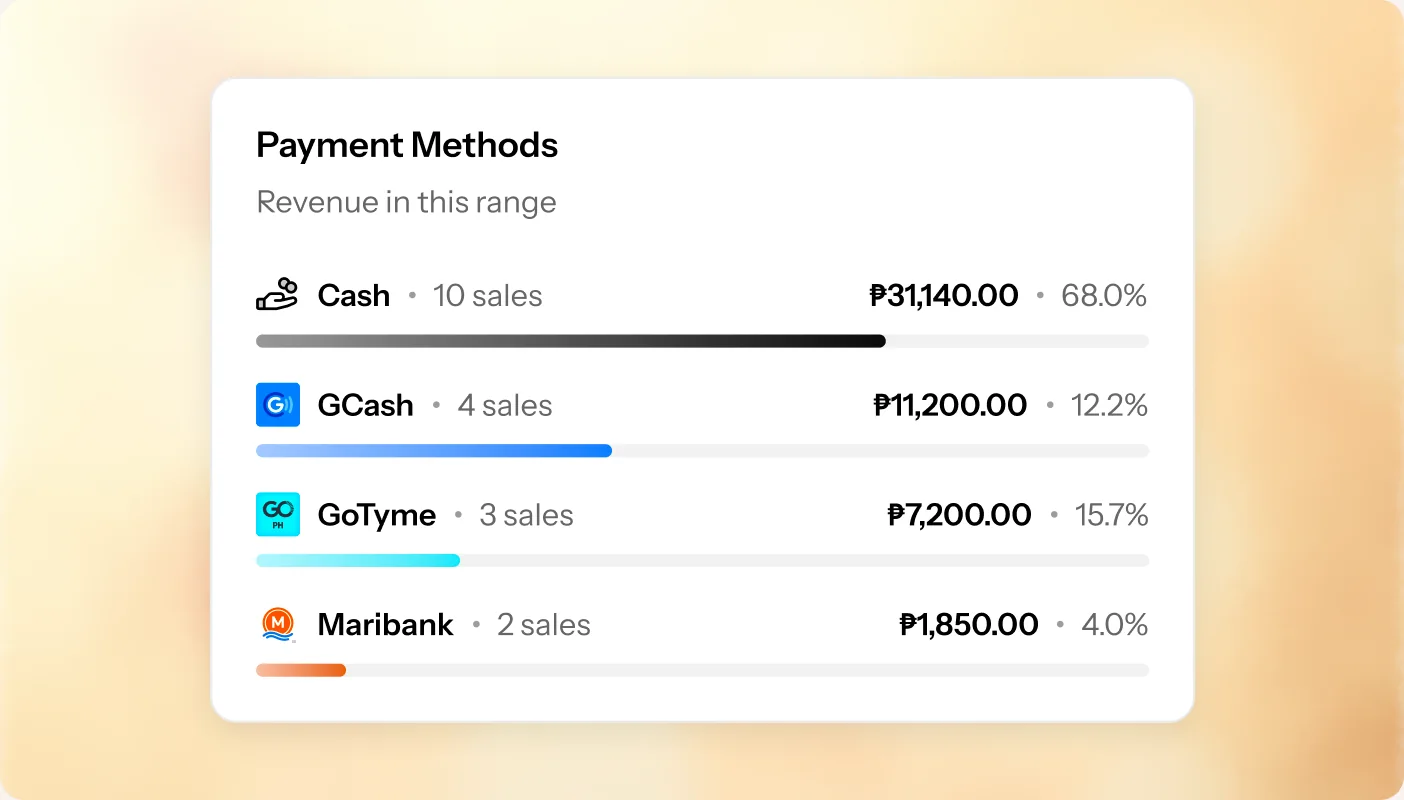
Your buyers already pay with GCash. We just keep score.
We don't process payments. Take cash or a transfer like you always do, then tap which one it was. At the end of the day you know what came in where.
 Platform
Put the notebook down.
The numbers are already here.
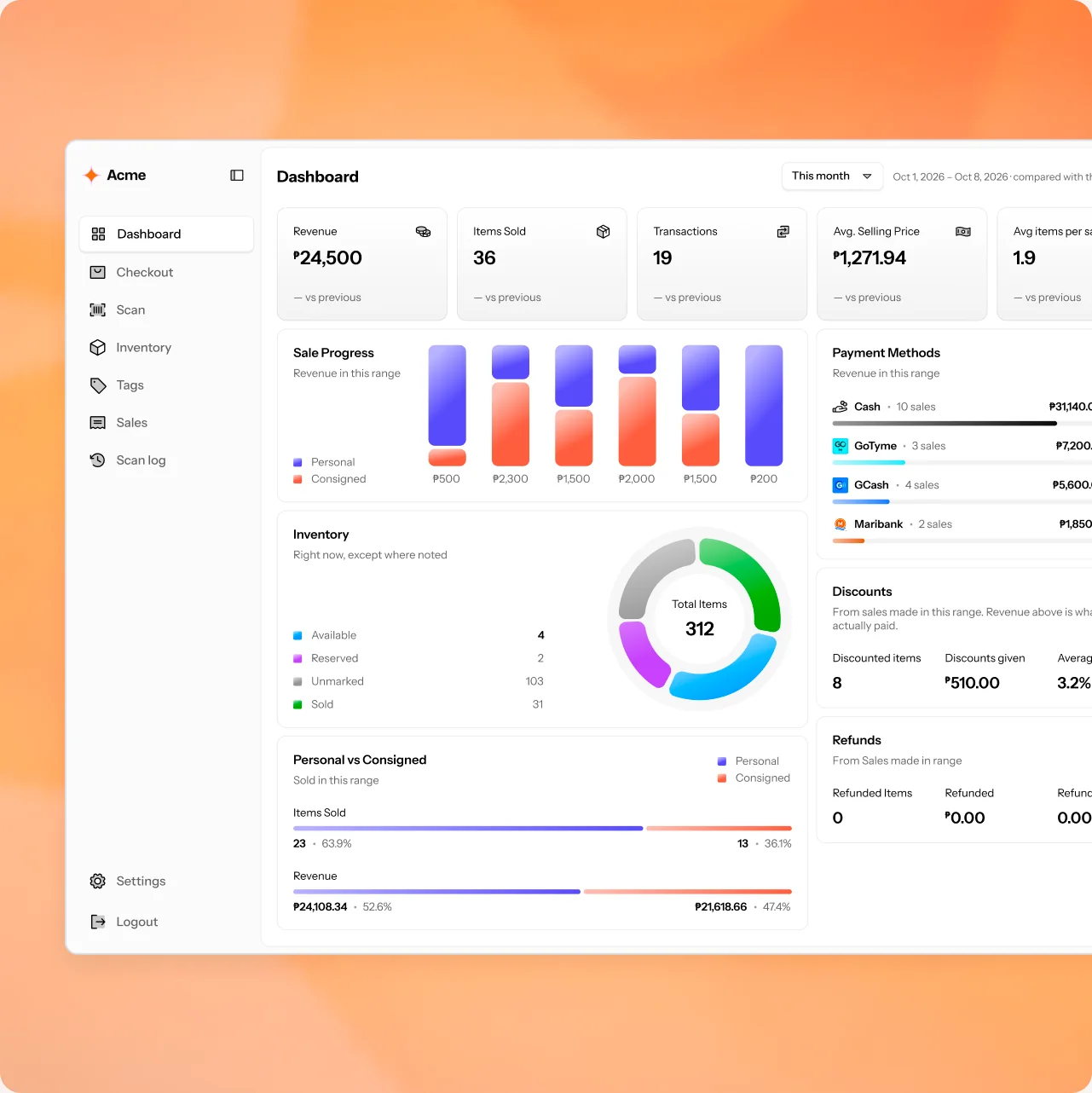
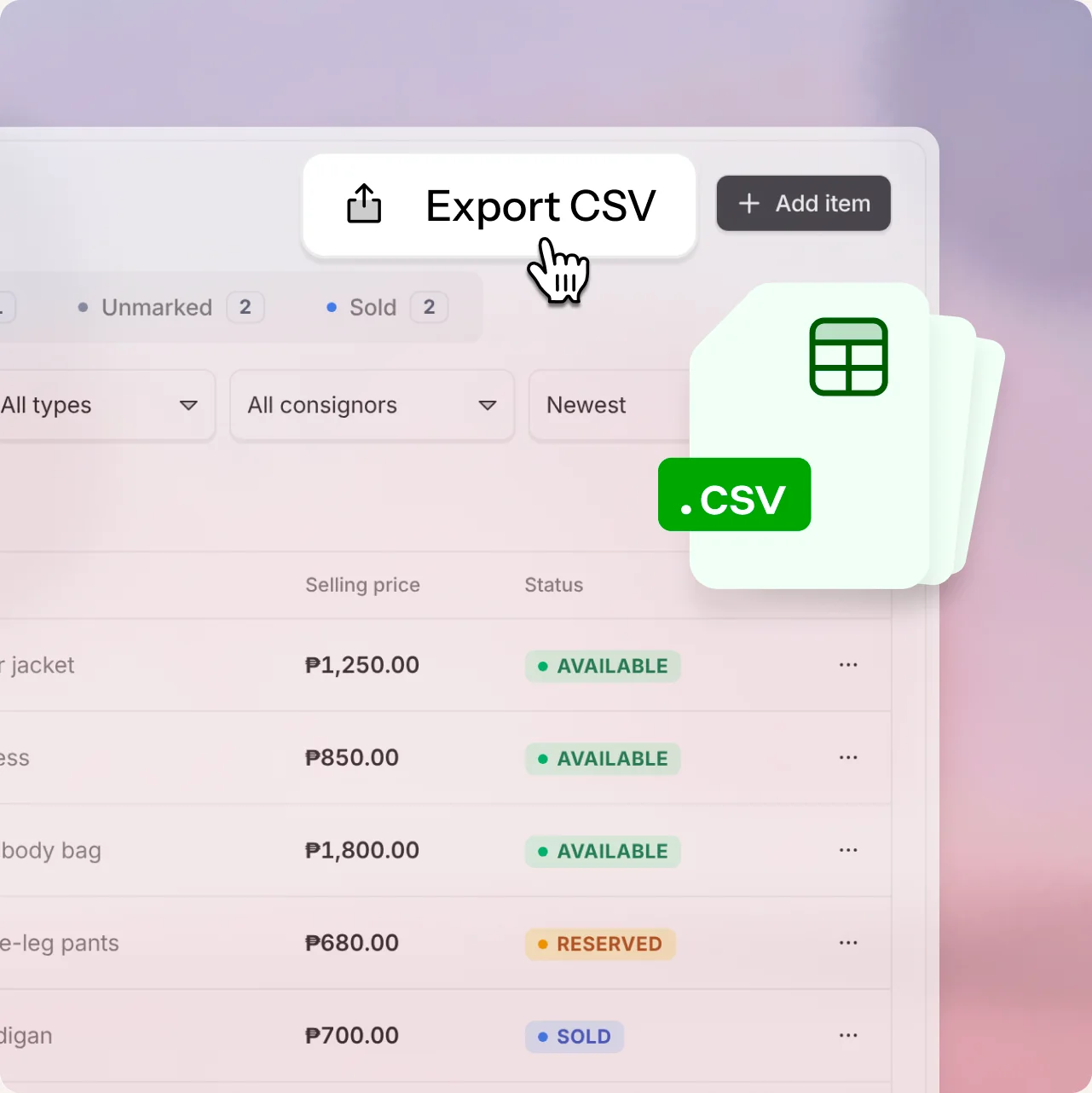
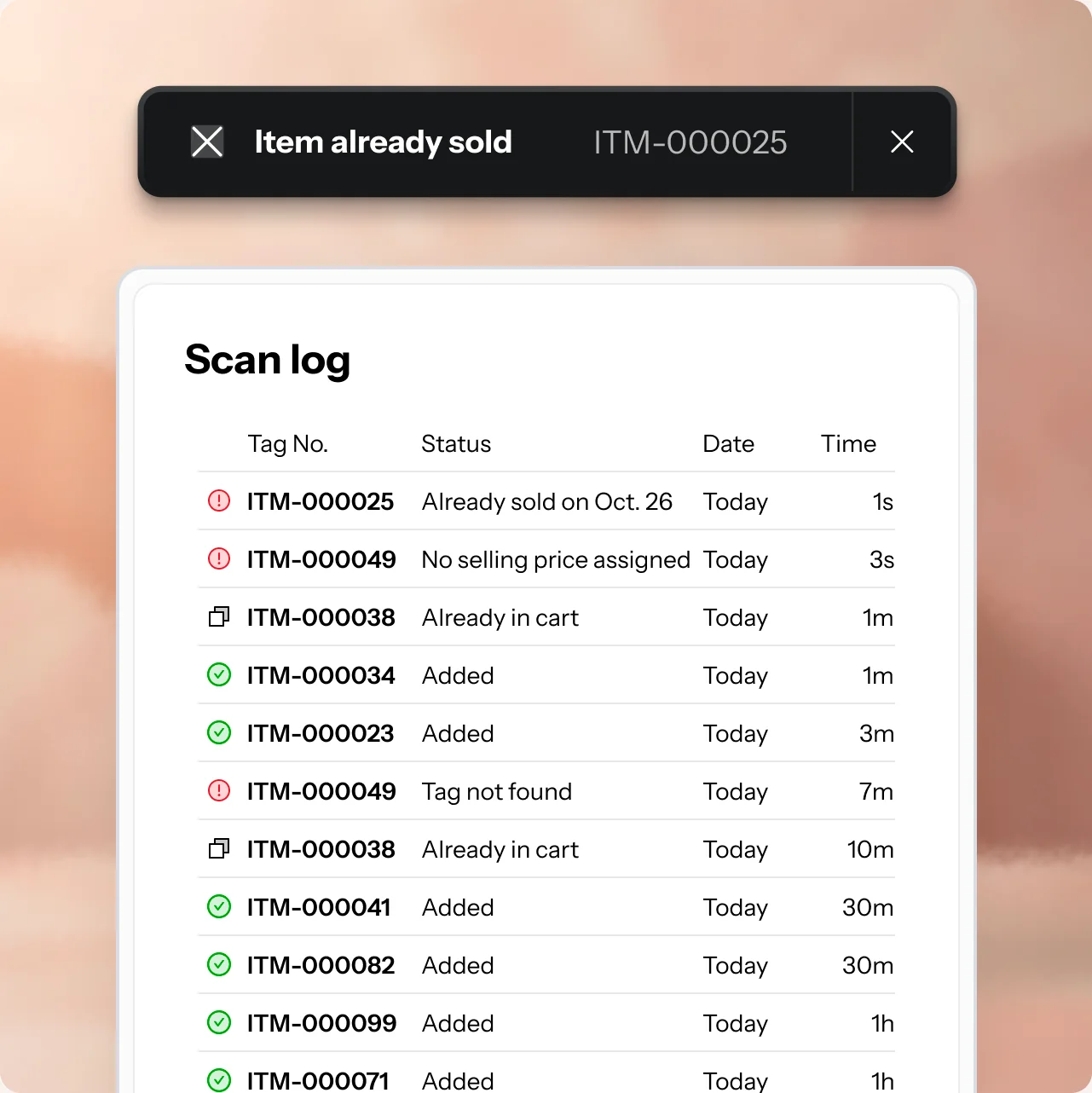
Everything the counter needs, in one place: live numbers, exports for your accountant, carts for busy hours, holds for buyers paying later and a record of every scan.
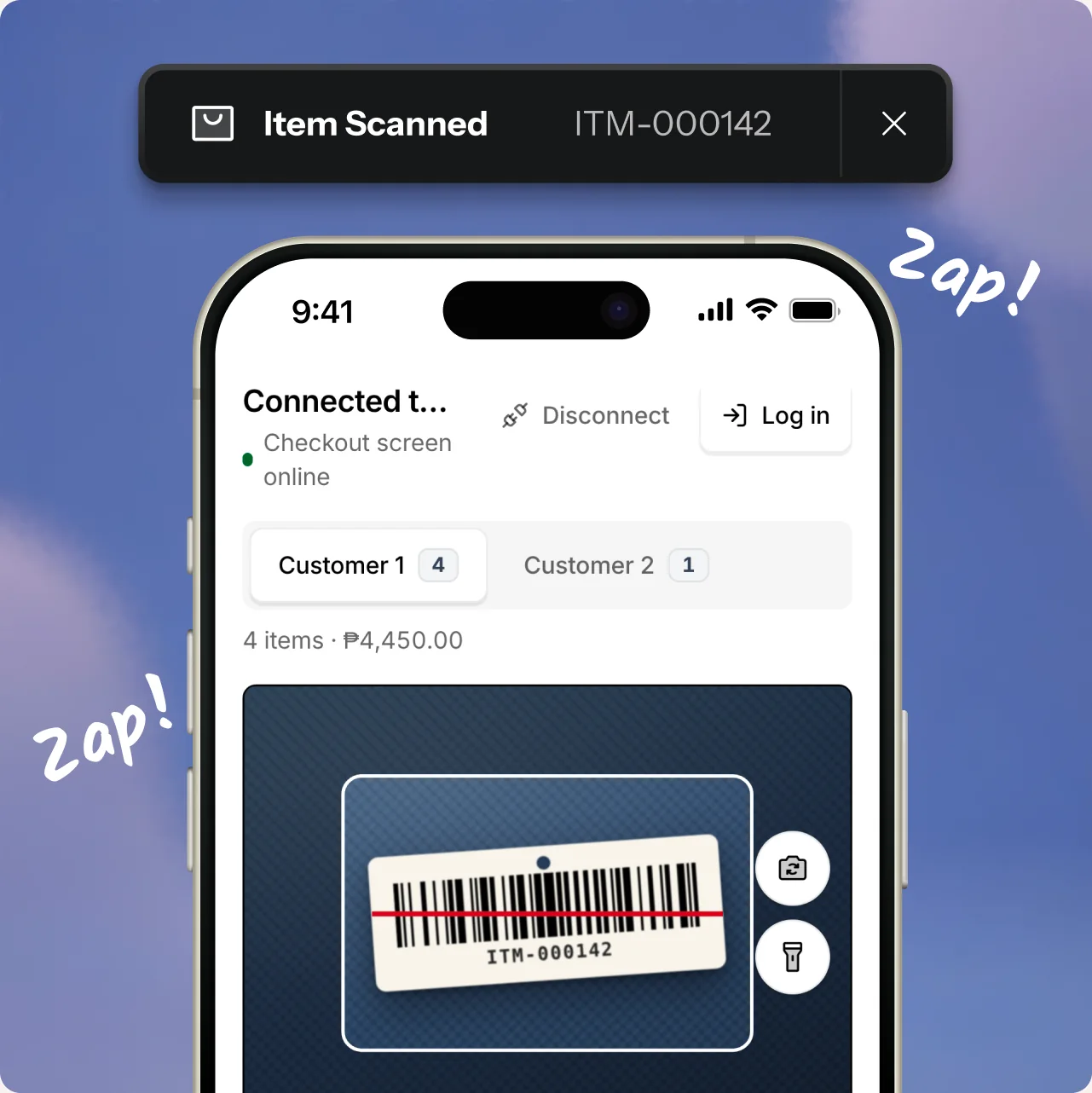
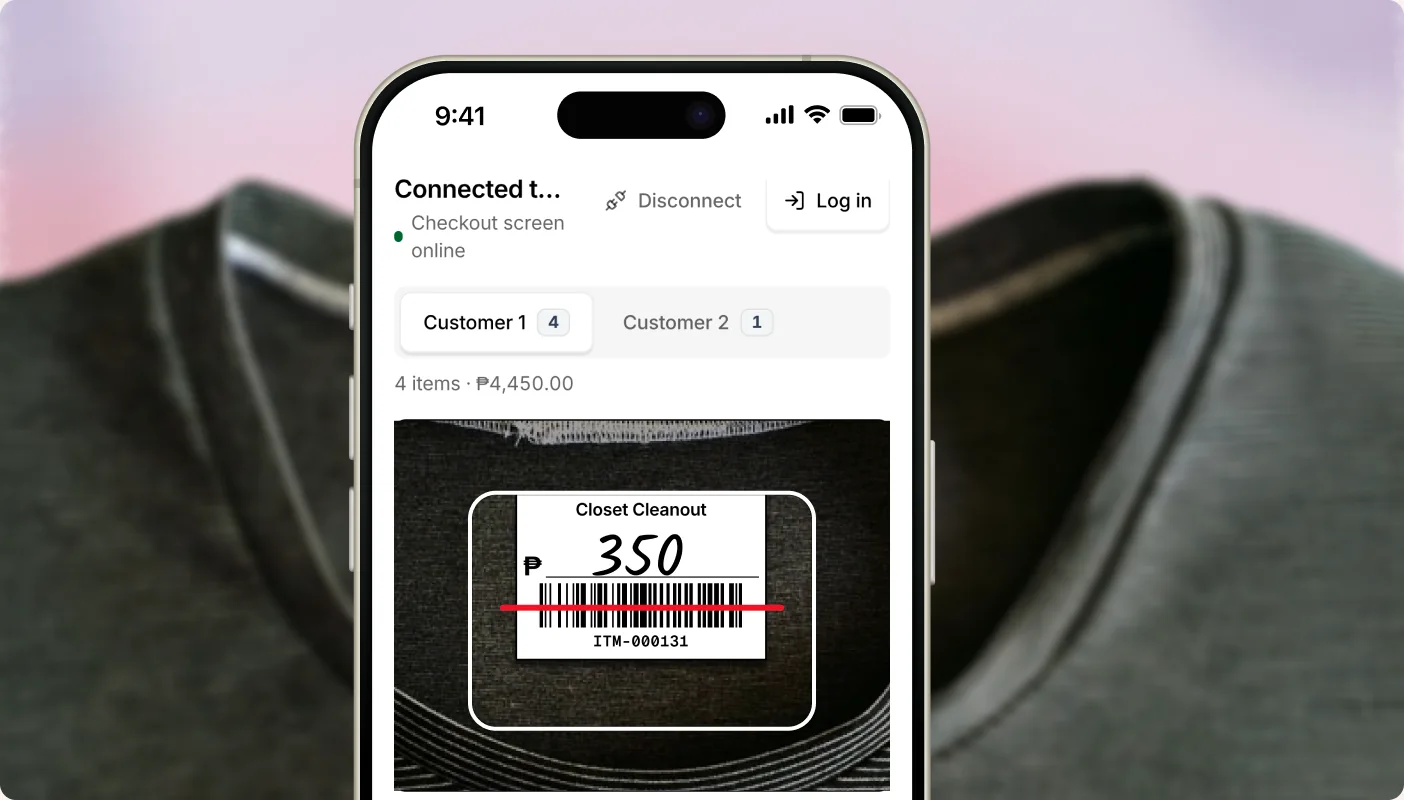
Your phone is the scanner. No extra hardware to buy.
Tap Connect scanner at checkout and scan the QR with any phone. It opens in the browser, with no app to install. iPhone or Android, every tag lands in the cart in about a second.

 Early access
Be one of our first shops.
We're opening Solo POS to a small batch of shops at a time, so every one gets set up properly. Tell us about your shop and we'll reach out when there's a spot that fits.
 Free while you're a founding shop
- We set up your shop with you, step by step
- Your feedback shapes what we build next
Questions, answered.
When can I start?


We're onboarding a few shops at a time so each one gets proper setup. Request early access and we'll reach out when there's a spot for your shop.
Does it take card payments?
No. Payments happen outside the app, the way you already take them. The app logs which method was used.
Can I track quantities, like 20 of the same item?
No, and that's on purpose. It's built for shops where every item is one of a kind.
Do I need a barcode scanner?
No. Any phone camera works, and you can pair a phone to the register. USB and Bluetooth scanners work too.
Does it work offline?
Not yet. You need a connection to sell, and the app warns you right away when it drops.
Can I bring in my current inventory?
There's no file import yet. When we onboard your shop, we'll work out the fastest way to tag what you already have.
Is it only for shops in the Philippines?
It was built here first, which is why GCash and friends are built in. Currency and time zone can be set per shop.
How much does it cost?
Founding shops use it free during early access. Pricing comes later, and you'll hear about it well before anything changes.
Can my staff use it?
Yes. Staff can sell and tag. Owners control the settings.